Hey friend,
This week has just been whirlwind, with some high highs and some low lows. Apologies if there’s anything I’ve missed, I’ll be back in action next week.
But for now, let’s get into 5 new things you should know about.
#1 New Plugin - Pocket View
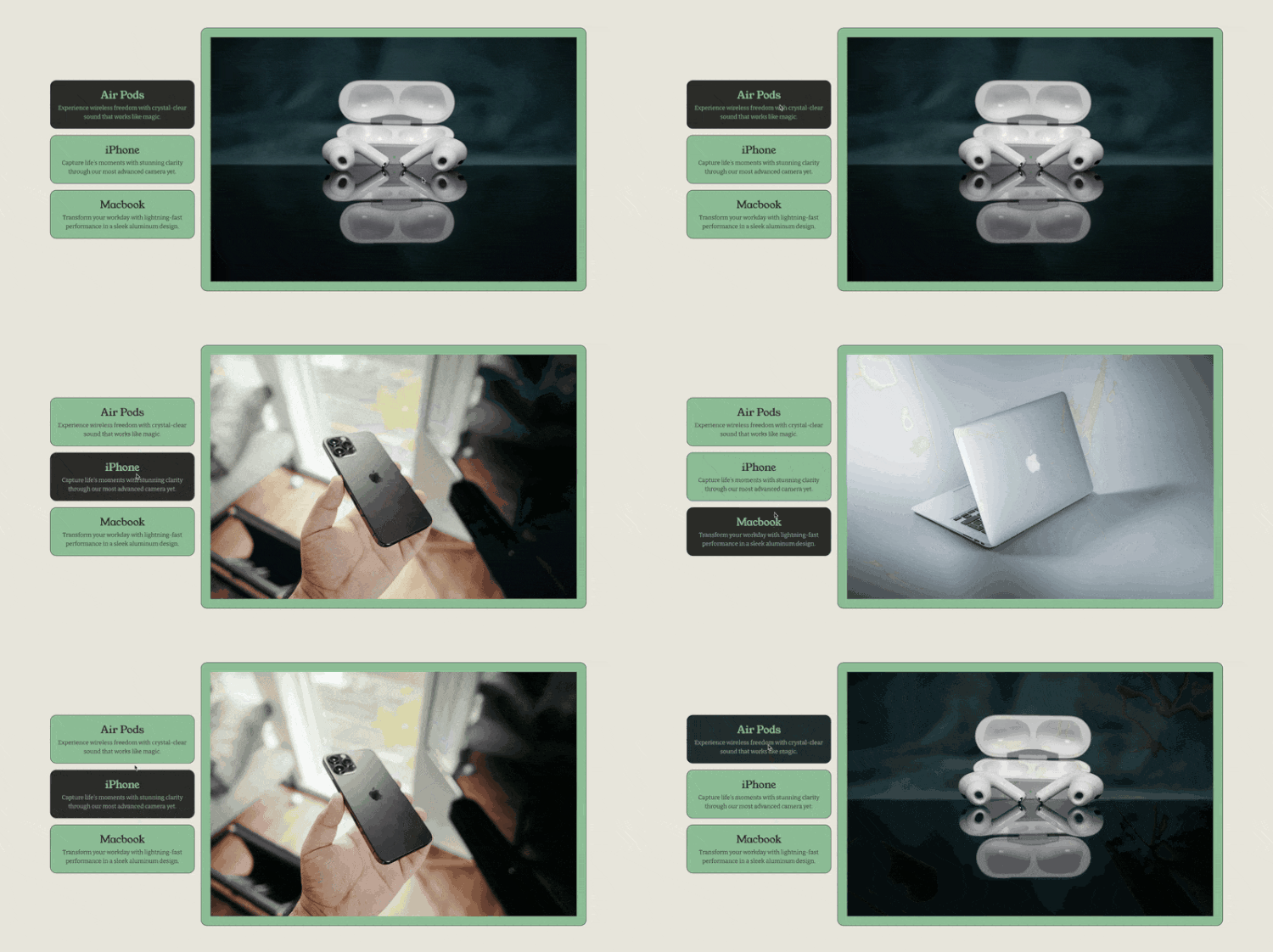
We just launched our THIRD plugin this year (whew!). This is the Pocket View, it was developed by our very own Abi Bacon. It’s built to be a simple way to display List Section information in a new format. Great for displaying product features, outlining a process, a simple timeline, or a group of people. Check out the demo.
Purchase | Demo | Watch Overview
#2 - Best Tabs Structure

For any of you coding nerds out there, I created this tutorial a couple weeks ago, but realized I never shared it here. One of the more common patterns in building UI components is a tab-based structure. In this tutorial, I walk you through the structure that I have landed on that is the most feature-rich and extensible.
#3 Adobe Audio Enhancer

Christy & I had Becca from InsideTheSquare on our podcast to talk all things AI a few weeks ago and Becca shared Adobe’s free Audio Enhancer tool with us. It’s a free AI audio enhancer that allows you to upload an audio file and it turns it into professional quality audio. It’s pure magic. I’ve been using it on all of my recent Youtube & Instagram Videos and it truly upgrades the quality with very minimal effort.
#4 v0.dev

Recently, I’ve been using v0.dev, a new chatbot focused on code, to get started on new projects and to even to fully build out simple tools. For example, I had it build out a custom retirement calculator that Ren and I could use to plan our savings; it only took a few seconds and I found it super useful to get a rough starting point for planning. Now, I would take any untested tool with grain of salt, but I’m finding it increasingly useful to use AI to build personalized tools (think calculators, quizzes, etc.) all without needing to get into the code to use it. If you’re curious, just add this prompt to v0.dev:
Build me a retirement calculator that I can use to simulate different retirement scenarios. I want to be able to add and adjust different investment items including: initial investment, expected return %, annual contribution, & years to hold.
#5 Growing a Software Business - Inside Weglot with CMO Eugène Ernoult
Apple | Spotify | Everywhere Else

Christy & I welcomed Eugene Ernout, the CMO of Weglot, onto our podcast for this week. Weglot is our sponsor for this season, but Eugene has a ton of experience in the startup, software, and marketing worlds so we wanted to pick his brain about it all. We chatted about the small business he started and then sold, and then his transition into Marketing and what it’s like working for a fast-growing startup in the Squarespace ecosystem. Listen wherever you get your pods:
Apple | Spotify | Everywhere Else
Big shoutout to our sponsor this season, Weglot! THE BEST no-code website translation solution for Squarespace. Use discount code SOMEWHAT15 to get 15% off an annual subscription this year.
Additional Curious Coder updates down below, but that’s all from me today. Hope you all have a good end to your week!
Keep Building,
Will
Code Curious Membership
Code Curious is my membership for professional Squarespace designers. As a member, you get:
20% off all plugins & multi-use licenses
The Code Catalogue with exclusive access to over 100 copy-and-paste code snippets
The Targeting Library with over 270 Squarespace CSS Selectors
A Slack Community for you to engage with other Squarespace Designers
Priority Support on plugins and tutorials
$15 / mo or $150 / yr
Cancel anytime.
Newest Code Catalogue Releases
The Code Catalogue is a library of over 100 advanced customizations for Squarespace websites. (see all snippets)

Hover Cards for List Carousel
Add a hover effect to display list item description & buttons

Video Block Selectors + Customizations
All the video block selectors + some new customizations.
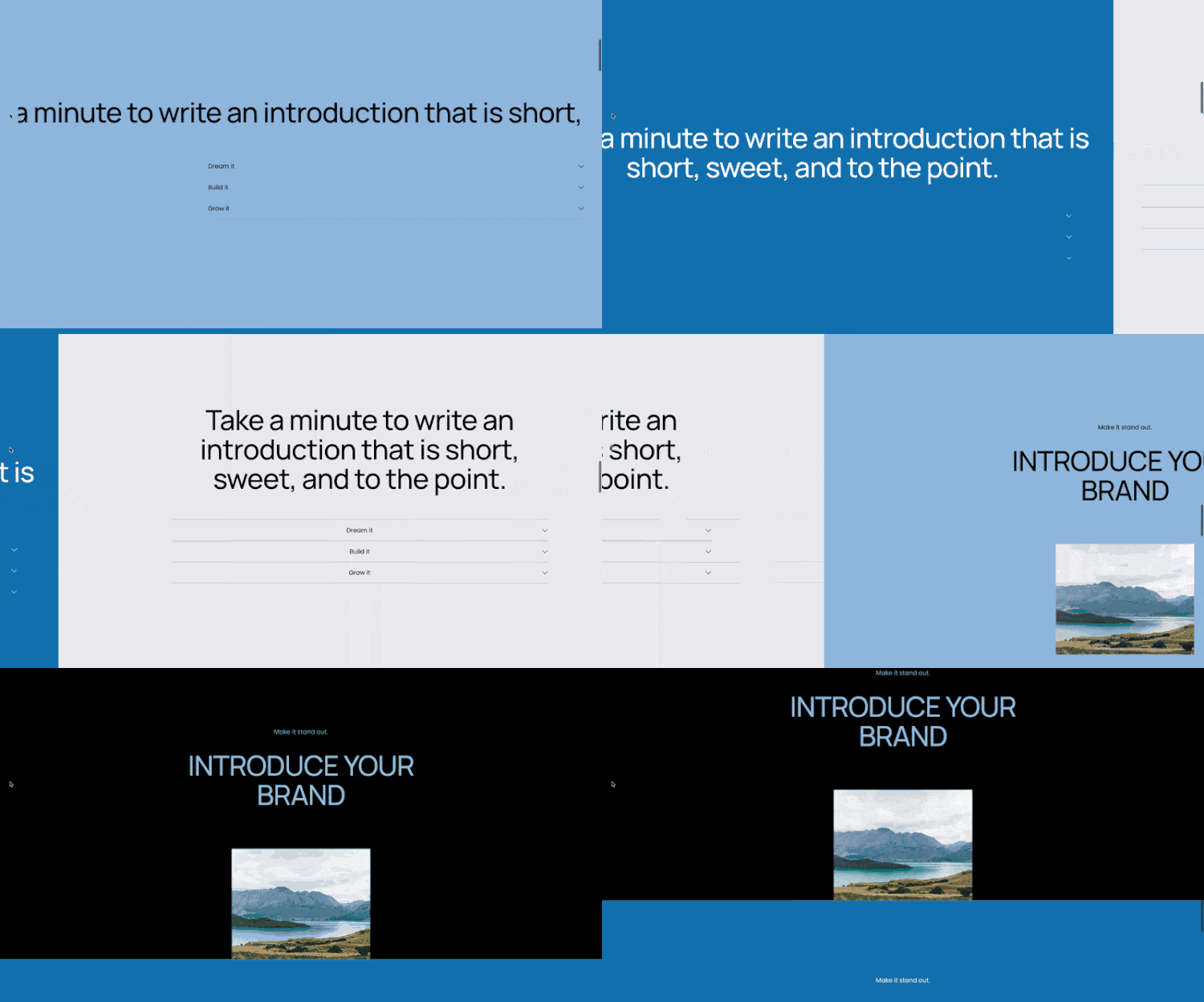
Horizontal Scrolling Sections
Add a horizontal scrolling section to your website.

Toolkit - Blog Collection & Blog Item
I’ve added some additional selectors and presets for the Blog Collection & Blog Item.