Hey friend,
Lots of updates today.
Squarespace’s recent campaign, Squarespace Refresh, has given us a look at what they’ve delivered so far this year and where they’re heading in the future. I’ve added my color commentary in the section below.
Abi and I have co-written an article about adding a “Quick Escape” button to a website for victims of intimate partner violence and sexual assault. This came from a question a customer sent in and we wanted to publish how we went about building it.
I’ve added some additional updates to the Code Curious Membership with more customizations. I’m also working on a pretty big project for members that I’m excited to share with you in the coming weeks 😏.
Keep Building,
Will
Squarespace Updates
Squarespace Refresh 2023 is a new webpage by Squarespace that updates you on the new Squarespace features in 2023. Here’s some quick thoughts on some of what was presented:
Courses - These have been out for a few months now, and are a great product. They’re not as feature-rich as Teachable / Thinkific / Kajabi (yet), but the flexibility of full page layouts and having everything housed on one platform makes this an easy recommendation from me.
Payments - Squarespace is getting into the payment processing space. Squarespace Payments will be competitor to Stripe and Paypal. Honestly, I’m not sure what the value proposition is for us to use it. Maybe better analytics? I’d love Squarespace to make a better argument here for why we should use it.
Client Invoicing - Previously “Project Management”, Invoicing is a new feature that lets you send invoices directly from Squarespace. I’m personally excited for this feature because I can track all of my sales data in one place, my digital product sales and custom work sales. There are still a few features I’d need to see before moving over fully, like sending an invoice to multiple people, accepting ACH, and auto-reminders for past-due invoices, but I really like where this product is now headed.
Squarespace AI (video) - The disclaimer is that this is “solely our aspirations for 2024”. But this is arguably one of the most interesting parts of Squarespace Refresh. Take a few minutes to watch the video.
The new website builder interface is full width and looks great, and that AI integration is, wow! In my opinion, everything presented is technically feasible, but it will take some time for AI to be presenting data in a meaningfully helpful way to a user. One key takeaway I had was how laser focused Squarespace is on the Squarespace DIY user (someone who’s job isn’t website building) instead of the Squarespace designer (someone who’s job is website building). Interesting.
Usability & Expressibility - When Squarespace says Usability and Expressibility, think the Website Editor or new block types. The most interesting callouts here are new ways to edit your main navigation and some native sticky scrolling effects.
There are a LOT more updates on this page, and I encourage your check them all out. Would love to know your thoughts on any of these as well.
New Article: “Quick Exit” button
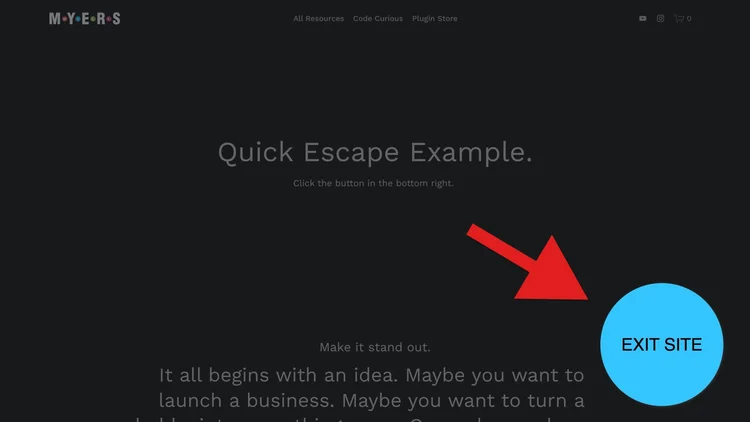
We recently received a question from Travis:
Is there anyone on your team that can implement a "Quick Escape" button on a Squarespace website I'm working on? It's for a non-profit that supports victims of intimate partner violence and sexual assault. There needs to be a good way for a site user to quickly exit the website.
This article is a breakdown of our solution. Major props to Chris Coyier’s article from CSS Tricks for the inital structure here. We just made some tweaks to get it working well within Squarespace.
Even if you don’t have a project you can use this on, there are a few javascript functions in here that you might find interesting and can use in other ways.
Featured Plugin: Popups
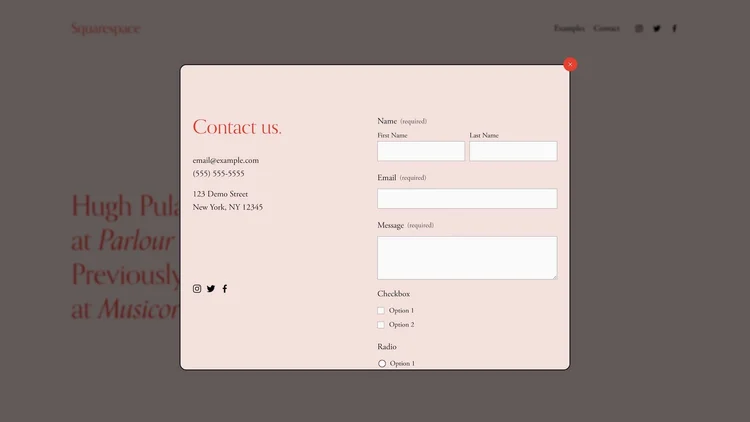
The plugin pulls in any other page on your website and puts it into a popup that can be triggered by any link. Here are a couple things you can do with it:
Add a popup form from a link in your header
Autoplay a video as the popup opens
Pull in entire page sections (including list sections)
Add a popup anywhere!
Curious Coder Membership
We’ve been busy creating new customizations over here in the Curious Coder land. My favorite from the bunch below is the Section Reveal, it’s great for project portfolios or blog posts. More exciting updates coming soon.
$15 / mo.
Unlimited use on client projects.
Cancel anytime.
Featured New Releases
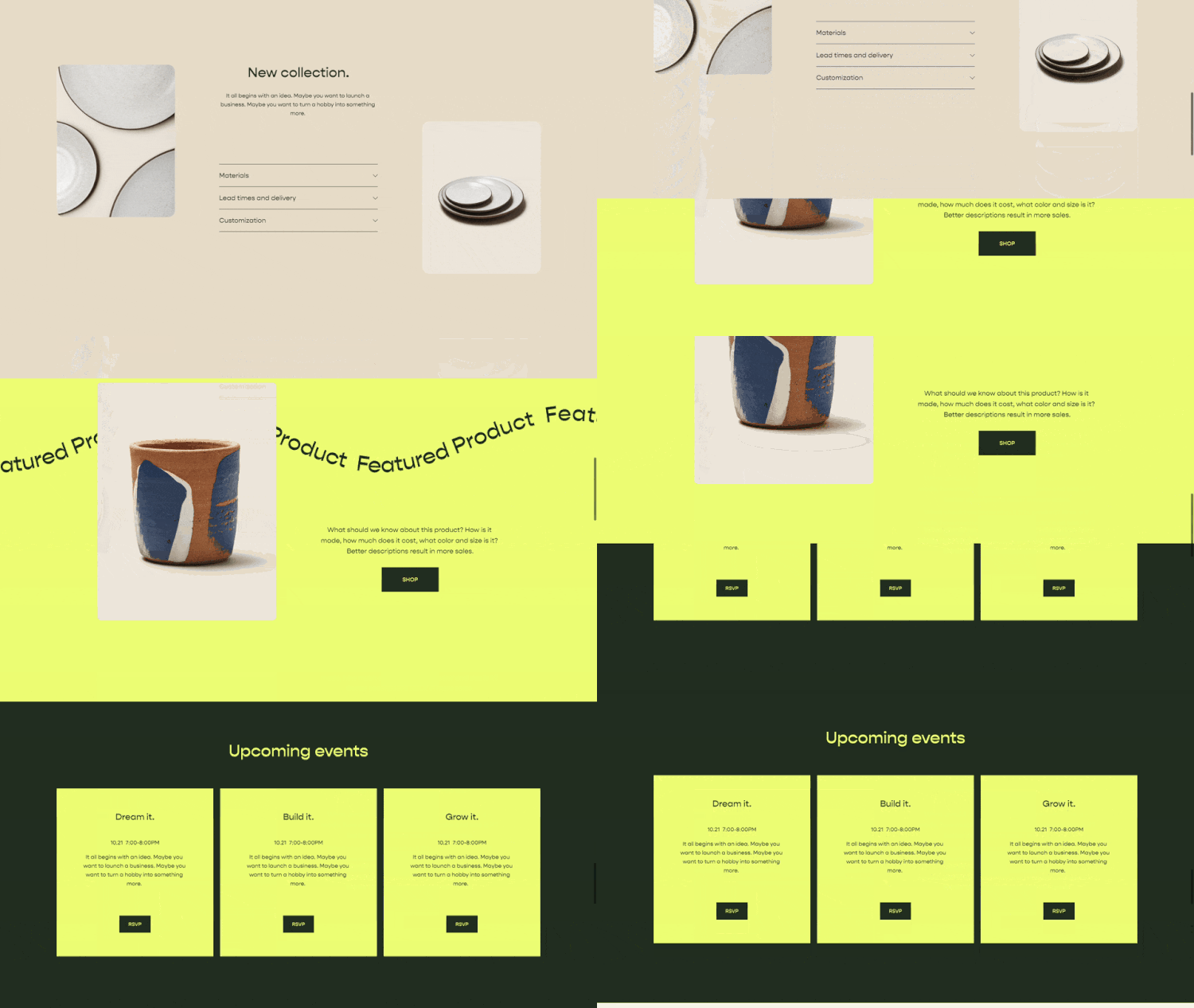
Section Reveal
Reveal your page sections as you scroll down the page. Option available to disable the effect on mobile.

Swehl Summary Blocks
Add a hard shadow on hover around your products. Works with all 4 summary block types & product pages.

Inline Product Title & Price
Set the title & price next to each other for a simple look. Works with Summary Blocks and Product Layout Pages.
A Somewhat Useful Podcast
Christy and I released a new episode of Somewhat Useful, our somewhat useful podcast about digital entrepreneurship and web design.
Our newest episode, How to Take Time Off as a Digital Entrepreneur, discusses some strategies about how to take time off in a way that allows you to return to work fully-charged.
Listen on Apple
Listen on Spotify
Listen online
Take a listen and I hope you enjoy :)
Plugin Updates
Squarespace is constantly changing and updating its platform; you can trust that we’re updating and maintaining our plugins to account for these changes. Unless otherwise notes, plugin updates happen automatically.
Have a question? Get in touch.