Hey friend,
Lots of updates for you in today’s email:
New Vertical Timeline plugin
New (Free) Vertical Timeline tutorial
New Curious Coder Series’ & Code Snippets
Updates from Squarespace & Will-Myers.com
But before all of that, I wanted to share a ChatGPT experience I had…
Like most other people in doing tech things, I’ve been thinking a lot lately about how AI is going to change the nature of my business. Chat GPT is a faster and more knowledgeable coder than I am. Though I tend to be really positive about the exponential progress of technology, I’ll admit that in my darker moments, I get a bit existential about it. I’ve contemplated all the ways that I could imagine AI totally replacing me, making my business irrelevant, taking over the world and obliterating the human race 🙃. Okay, that won’t happen, but you get the idea…
However, I recently had an experience that made me feel more optimistic about our inevitable cohabitation with AI and highlighted some of the shortcomings of the technology. And since it made me feel a little better, I thought I’d share it with you here.
For a few months now, I’ve been using Chat GPT for all sorts of things: brainstorming fun tutorial names, proof-reading newsletter copy, debugging some javascript. Eventually, I thought to myself, “Well, let’s see if it can write me some code.” So, I asked Chat GPT to write code that would create a vertical timeline. In a few seconds, it output code that looked pretty good. I copied and pasted the code into my website; voila, there was a vertical timeline.
This AI’s ability to create working code that was 80-90% workable within a few seconds was stunning — and it saved me probably an hour of work getting the initial structure together myself. Sure, I had to tweak a few things here and there to make it work in Squarespace and look exactly how I wanted it to, but it was close enough.
I thought this was amazing. I wanted to create a tutorial for my fellow coders and web designers on how to use Chat GPT to code things within Squarespace and decided to use building this same vertical timeline as an example. I was pretty pumped to share it with all of you.
But when I sat down to create the tutorial, it just wouldn’t come together. Despite giving Chat GPT the same prompts and inputs, it just wouldn’t give me the answers that worked well for the tutorial. I kept getting flustered as I was recording because there was so much code that I had to rewrite to make it presentable for you. I almost felt embarrassed by what it was producing, like if I’d invited a friend to a party who ended up drinking too much, and I had to go around saying, “I promise, they’re not normally like this.”
I’m still not sure exactly why it gave me such great code the first time, and such bad code the second time when I had the camera on… I guess AIs can have off-days too. So I scrapped the Chat GPT angle and just created a normal tutorial on building a vertical timeline component myself, sans AI assistance. Because, in the end, it was a much better quality tutorial for me to offer to you.
I don’t have a grand lesson or point to make here, I just wanted to share this little anecdote about a time when a human out-performed the robots. I guess just take all of these new changes day-by-day, and keep creating great things like you always do. Don’t let the robots overpower your intuition and gut.
I’m still pondering all the ways that AI will potentially help and hurt the web design industry. But in the meantime, I’ve built a pretty awesome Vertical Timeline Plugin and an accompanying Free Vertical Timeline tutorial. Enjoy!
Keep building, Will
New Plugin Release: Vertical Timeline
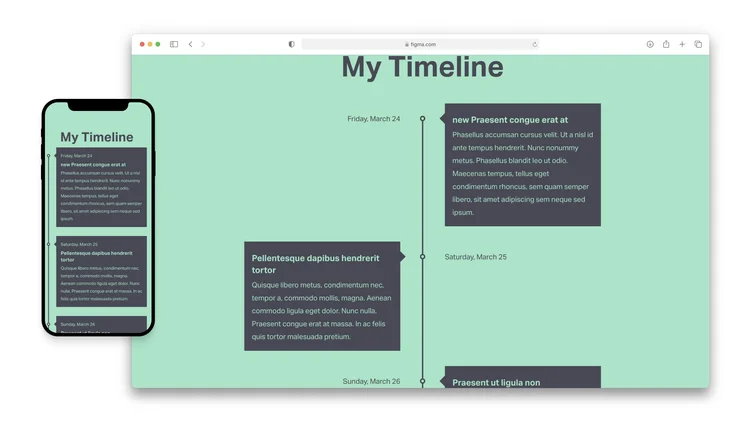
Create a beautiful Vertical Timeline component to add to your Squarespace website with this simple plugin. Customize the styles and settings to match the brand of your website, and then copy and paste the generated code into your website.
$20
Free Tutorial: Building a Vertical Timeline Component

Code a beautiful looking vertical timeline component, from scratch, in Squarespace. In this tutorial, I walk you through building this out, step by step.
Latest From Will-Myers.com
Support - Amidst maintaining plugins and producing exclusive membership content, we haven't forgotten about the importance of providing top-notch support to our users. In fact, we've been working to streamline our support service, revamp our ticketing system, and provide a hassle-free experience for our valued users. If you have any plugin related questions you can reach out here.
Squarespace Shenanigans - Christy Price and I have moved Squarespace Shenanigans over to CrowdCast to ensure a better viewing experience and just overall improved quality. Instagram Live just continued glitching with us. Catch our next episode on Thursday, April 27th at 11am Eastern.
Squarespace Shenanigans is a semi-weekly show where we explore the world of Squarespace, entrepreneurship and web design. We discuss topics shaping the world around us and tackle your questions from the mailbag.
Curious Coder Club
We’ve had some pretty exciting tutorials go live in the Curious Coder membership in the last couple of weeks.
Whether you're a seasoned developer or just starting out, this subscription is the perfect way to expand your coding knowledge with our Series’ and to also get tech tidbits straight into your inbox three times a week.
$12 / mo.
Ready to dive in? Just click below and let’s keep building! 🚀
Recently Released Series’
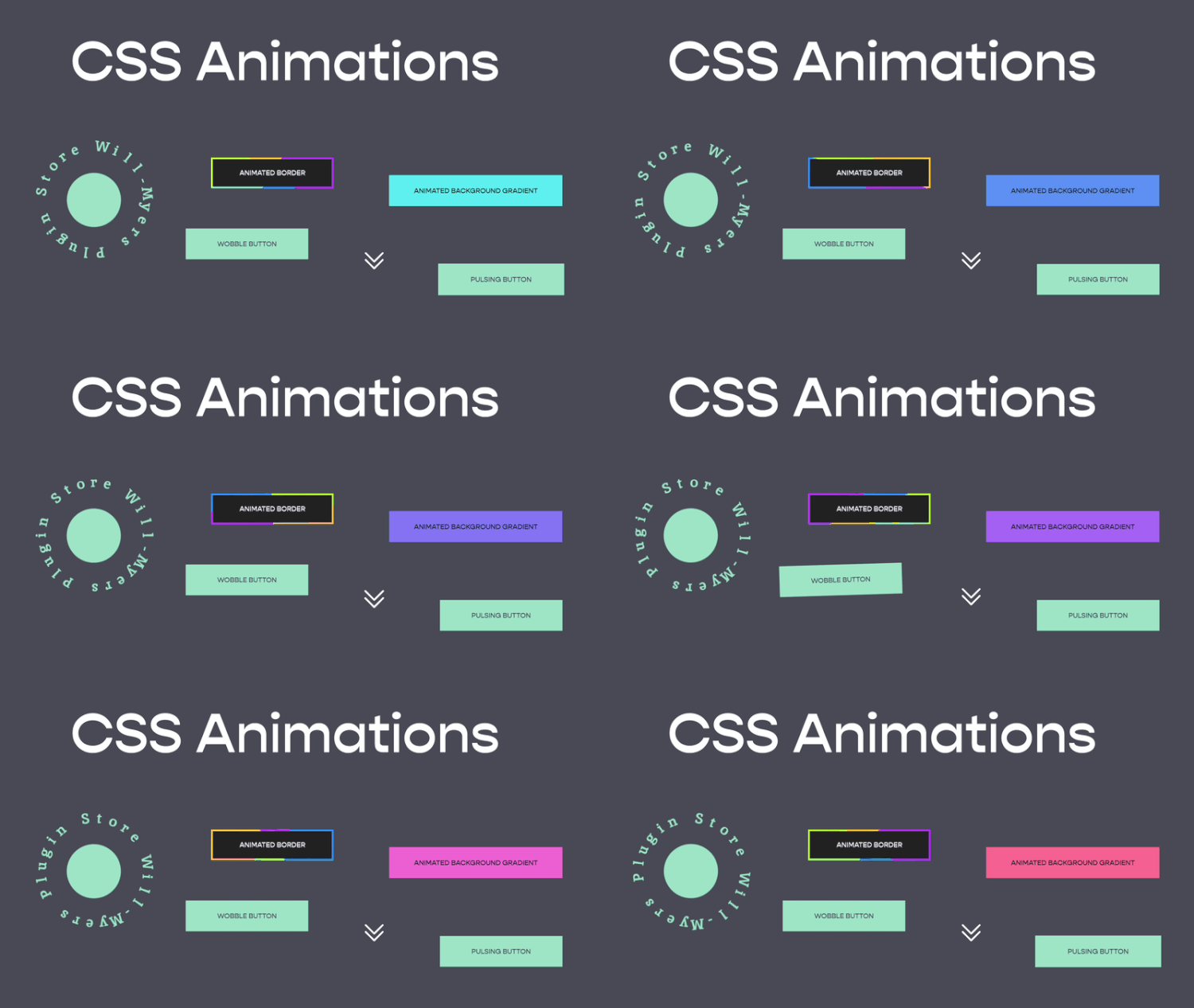
CSS Animations 101
Learn the basics of CSS Animations, when and why to use them, and how to use them in Squarespace. We’ll also go through 6 different animations for buttons, images, and icons you can start using today.

Choose Your Own Adventure!
Use jQuery to create a “Choose Your Own Adventure” component that lets users display a specific page section based on the button they click.
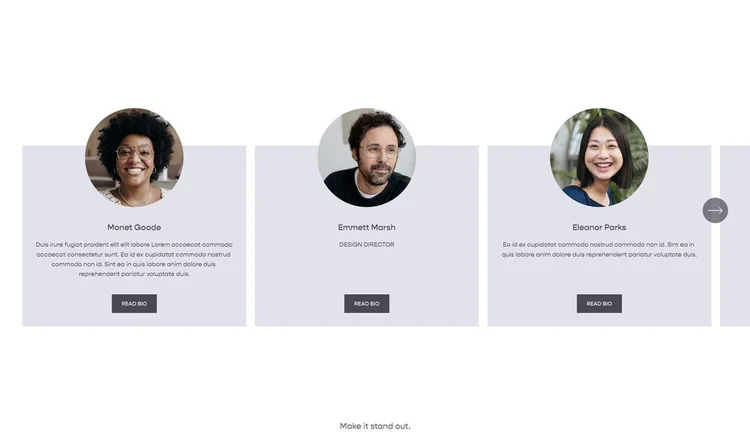
Overlapping Images in Auto Carousels
Using a simple gradient trick, we save ourselves a bunch of tedious work in order to get this overlapping image effect.
Squarespace Circle Updates
Squarespace have really been on it with releasing new features recently, and in case you’ve missed them, here’s a quick round-up.
You’ll need to be a Squarespace Circle Member to access the below links. If you’re not a member you can sign up for free here.
Product Page Variant Buttons - “A new feature that allows you to display the variants for your products directly on a single PDP.”
We’re really excited for this one, opens up a ton of options with a sprinkling of Custom CSS.Fluid Engine block multiselect resize - “All 7.1 websites with Fluid Engine enabled can now resize multiple blocks at the same time by clicking and dragging blocks in a section or holding the shift key while clicking multiple blocks in a section.”
A super useful way to maintain the ratio of elements when resizing them. One step closer to being able to group elements!ReCaptcha v3 - “You can now upgrade to reCaptcha v3 to protect your sites from spam submissions, without disrupting your site’s design and sign-up flow. This streamlined reCaptcha experience is available for all 7.0 and 7.1 websites.”
This is fantastic news, users will no longer have to ‘select all fire hydrants’ over and over, and instead the magic all happens quietly in the background!Save & Exit - “Save any changes to your site pages without having to leave the editor. You can make edits to a page, then click Save to continue editing, or click Exit to go back to the Pages panel. This feature is currently in beta and is available for Circle members on 7.1 websites.”
It’s really nice being able to save your work as you go, without having to re-enter the editor each time. However it now adds an extra click to get to other areas such as the Custom CSS panel from inside the editor.
Plugin Updates
Squarespace is constantly changing and updating its platform; you can trust that we’re updating and maintaining our plugins to account for these changes. Unless otherwise notes, plugin updates happen automatically.