Hey friend,
First off, I wanted to let you all know I will be taking next week off (vacation!). I will have very limited internet access, so when I do get internet access I will only be responding to the most urgent emails. If you have any questions about a plugin please still submit your question, it will just take a bit longer for me to get back to you.
Now.. on to the good stuff.
Best,
Will
TUTORIALS
Testimonial Slider Using Auto Layouts

In this tutorial, I give you some code that you can use to build a Testimonial Slider using the new Auto-Layouts Section on Squarespace websites. Of course, there are option to change a bunch of settings and customize your slider in various different ways.
BUILDING GRID PAGE LAYOUTS

Build Grid Page Layouts in Squarespace
Super excited to finally launch this workshop! In this 90 minute, self-paced, workshop we’ll walk through building out a grid based page layout in Squarespace 7.1 and learn the fundamentals of CSS Grid along the way.
I’ve received some feedback that this is more like a mini-course than a workshop, but I’ve called it a workshop because I want to imply that you can get through it in about a half day (or less). I also want to emphasize that by the end of the workshop, you’ll have a fully functioning grid page built out on your website, and you’ll know how to customize it. You’ll also have an awesome new skillset when designing Squarespace websites.
Recommend Prerequisites: Basic CSS knowledge, Basic knowledge of Squarespace.
Time Investment: ~2 hours (varies)
Deliverable: A grid page layout like the one used for this workshop’s cover art.
This workshop is jam-packed with visuals to help design-oriented individuals retain a better understanding of how CSS Grid works, and how to use it for page layouts.
STUFF AROUND THE WEB
Top 20 Squarespace plugins in 2021

Rasmus Myhrberg over at spark plugins has recently launched a new plugin Library for Squarespace Designers. In this article he points out 20 great Squarespace plugins for improving your website (and a few are mine 🕺🏼).
Thoughts on “Preventing Clients From Destroying Your Site”
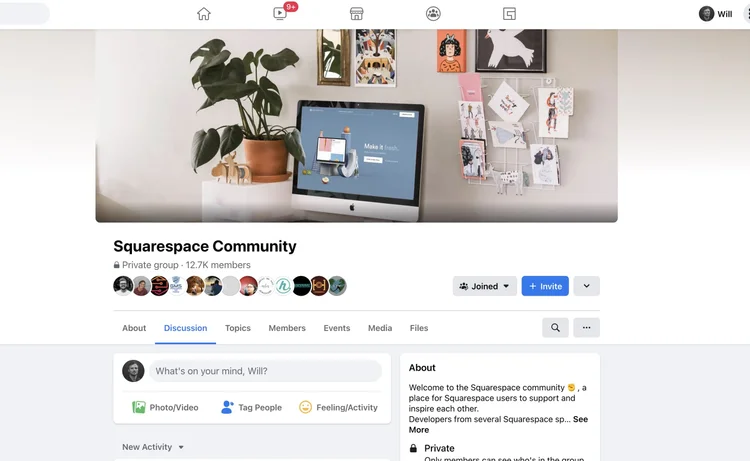
Aaron Rolston, along with a ton of other people, have been drumming up some fantastic conversation in the Squarespace Community Facebook group. This thread is a fantastic conversation with tons of great input, and conversations like this sharpen all of our design skills.
The Reasoning Behind HEX Colors
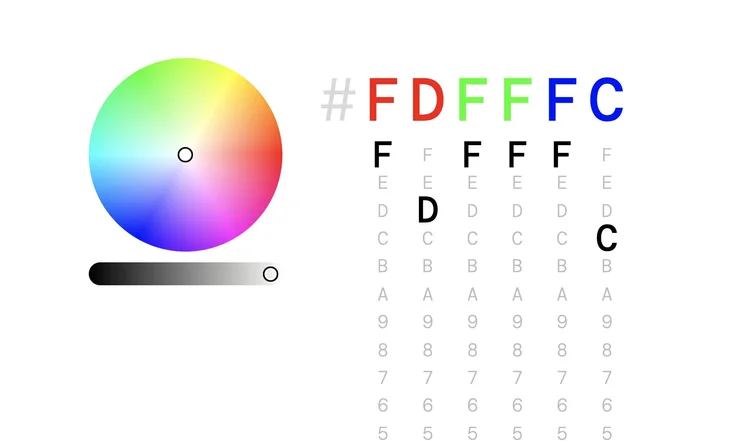
Do you know the reasoning behind HEX color values? Many colors systems in CSS are just varying combinations of red, green, and blue, and HEX is no different.
The first two values, "FD" above, define the amount of red in our color. The next two colors, "FF", define the amount of green in our color. The last two colors, "FC" define the amount of blue.
The scale works from 0 to F, where F is the most and 0 is the least saturated. This cool visualizer allows you understand how this works in a more visual way.
LEARN CSS IN SQUARESPACE
Take your skillset and business to the next level.
Don’t be limited to copying and pasting other people’s code. Learn the skills to create beautiful and customized websites in Squarespace, fast.